
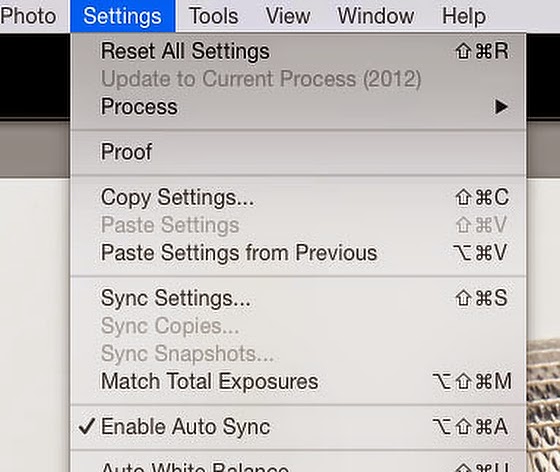
Use "Match Total Exposures" to save some time in Lightroom.
If you have a similar scene you can select many images as I have shown here:

Then make all the corrections to the first photo like you would do in all your "Auto Sync" situations and then go to the Settings in Develop module and choose "Match Total Exposures."
This lets you quickly adjust the exposure of multiple photos to match a target photo. Now you can go back and just select images also and select them and choose your "target" photo and then apply the "Match Total Exposures" and you will save a lot of time that you used to adjust exposures.
No comments:
Post a Comment
All comments are reviewed.This is done primarily to eliminate spamming. Please be patient, I maybe on assignment and unable to review right away.
But to increase meaningful conversation, sometimes it’s necessary to reduce the not-so-meaningful bits. Here are the kinds of things we’ve been deleting in recent posts. Please avoid these types of comments:
One-word comments like “Cool!” or “Thanks!” While we appreciate the congrats, we’d love to hear more about what exactly you love, and (even more importantly) why.
Shameless self-promotion. Comments that contain links to your site within the body or otherwise encourage folks to visit your blog are a no-no. If you’d like to increase traffic to your blog, there are other places than here to do that.
Multiple comments by one author. We’re glad you want to be engaged, but please give others a chance to speak, too.
Really long comments. Let’s just say that if you need to take more than three breaths to read your comment, it’s probably too long.