

Sunday, April 04, 2010


Friday, April 02, 2010
Stop Selling Nails

When my wife Dorie graduated from seminary our family took an out of the ordinary vacation to Jamaica. We did the all-inclusive package. All we had to do was enjoy the trip. No worrying about when or where to eat or what to do. We just had fun. I cherish these memories.
You’ve probably splurged on something. Maybe you took a special vacation or found a wonderful restaurant. Most of us have done something fun that is outside our normal budget. These extraordinary times can form memories our families will talk about for the rest of our lives.
Workshops and Seminars
Each year I attend a few workshops and seminars to keep me up to date and increase my value to my clients. Years ago some friends suggested that I should splurge and invite the speaker I was impressed with out for a meal to some nice restaurant. At first I was worried that these important people would think I was nuts.

The first time I took a speaker out to eat I expressed this worry. She laughed and said, “No man, I was a peon myself once and not that long ago.” I learned more asking questions and listening during this one-on-one time at a meal with a key person than the rest of the entire conference. By the way, that first speaker I became friends and have kept in touch.
I’ve met others, who were struggling and barely had any money for their own food, but they still took a speaker to lunch. Much later on they told me that the investment in that lunch changed their lives and their business.
Building Supplies
Hardware stores and real estate agents sell entirely different things. Hardware stores sell nails and wood and the prices vary little from hardware store to hardware store. Real estate agents sell what a builder did with what he bought in a hardware store and the prices range all over the place depending what was done with the basic materials.
As we talk with a prospective client does the discussions quickly turning to price and the bottom line?
The Total Package
Let’s think back to those extraordinary vacations or the meals you treated those special speakers to. Price was not the determining factor. The value of what you got for your money prompted you to take that vacation or buy that person a meal.
If the quality of your work is superior and you have consistently treated your customers with honor, dignity and respect then you have established a brand that will draw clients to you.

If you are aware of how your work defines you in the marketplace and you communicate this effectively to potential customers you will do well. You can compare what you do to your competition or you can just point out all the things that you do for your clients and never mention the competition.
If prospective clients are talking price and bottom line then stop selling nails and wood and start talking about the quality of your work and what you will do for them.
Wednesday, March 17, 2010
It’s Not All About Me, But It All Depends On Me
One of the best things I have learned over the past year about how to grow my business is that it's not all about ME, but it all depends on ME.

Definition of a Raving Fan: One who uses your services more often; pays full price; and tell others about you.
All businesses want and need Raving Fans. So, how do you get them?
First: Your product or service must be superior. Doing business “Good Enough” will make some clients rave about you, but they will not be FANS. Striving for nothing but the best will create genuine fans.
As a photographer I look for a unique angles; something they are not likely to see themselves. “Good Enough” is giving my client a professional version of something they could have seen and done without my help. My photos must WOW them. That’s my obligation to them as a professional.
Creative use of lighting can move my photography from just “Good Enough” to excellent. I need to explore the subject and find the point of view with the most effective use of light. For example, moving a person so that the light from a window creates the main light on their face rather than fighting the glare of the same window behind the subject. I may need to set-up strobes (flashes) to create my own “window light.”
“Good Enough” is scouting a location after joining my client at the shoot. Much better to shout in advance of the shoot and be able to suggest locations for the best light, composition or unique perspective to make photos that standout from the expected.
Second: To win Raving Fans – go the Second Mile in service. In my business I looked for things to do that were not required, but would be valued by my client.
Something I did from the beginning was to deliver my work to my clients on a professional-looking CD or DVD. I printed my logo and sometimes their logo on the disc as well as the date of the photo shoot and other useful information. “Good Enough” is writing the information on the disk with a Sharpie.
Another unexpected and appreciated extra is a quick turn-around delivering the images. When possible I give the client the disc before I leave the shoot.
By watching other businesses it is possible to discover some of the ways they attract fans. Chick-fil-A, for example, works at making a customer feel like a guest in someone’s home. Little things make this happen. They’ll hold the door for folks, carry the trays to the table, refresh their drinks and even give them food occasionally.

Seeing what other businesses do and finding ways to apply the concept to my business isn’t always apparent. It is a constant struggle to find ways to be more service oriented. We call those who “do it naturally” Ladies and Gentlemen. (The rest of us gotta work at it.)
I believe the whole key to attracting and keeping Raving Fans is to first be sure to deliver a quality product and do so in a professional way. Only if we are doing this will the Second Mile Service have any real impact. No matter how many nice-little-things we do for a client if they are not happy with our product… The point: You Can’t Go The Second Mile If You Didn’t Go The First Mile FIRST.
I’ve found a great second mile touch is a hand written thank you card. Anything hand written is so rare these days that it has an almost unimaginable positive impact.
Third: Another component of creating Raving Fans is establishing an emotional connection with the client. It’s called Friendship.
When my customer becomes more than a paycheck, when I see them as a valuable person, when I come to care about how they’re doing and I’m concerned about their happiness that’s when I discover the true joy of “doing business.”
When business reaches this level going the second mile only seems natural.

This relationship is not going to form with all our clients, but when it does it was worth the trouble and we’ve made a Raving Fan.
A few months ago I ran into a man I knew when he was a teenager. We were talking when he stopped and said, “Last Sunday my pastor said in his sermon that we should tell people what they have meant to us over the years. Well, I want to tell you that you were a major influence on me when I was a kid and I want to thank you for that.”
I want forget that for a long time. Made me feel great and humble at the same time.
We probably didn’t know our clients when they were kids, but there are things we like and appreciate about them that, given the opportunity, perhaps we should tell them.
An easy way to make a fan and a friend is just to listen to them. Maybe over coffee or a meal, just give them the time of day. A friend, after all, is someone who will listen.
I believe this can all be boiled down to this statement: If you want to grow a business, look for ways to serve your customers.
Friday, February 26, 2010
Give yourself an assignment

I just got back from Hawaii and I’m excited. It was my fifth trip to Hawaii to teach, but photographically this was the best trip by far.
Why so? Well this time I had a couple of assignments.
On the drive over to the Hawaii Volcanoes National Park my daughter calls me and says, “Daddy, I need some photos for of the volcano for my class at school. We’re studying the Earth’s crust and I thought the volcano would be a good way to show it.”
Listen, with an extraordinary assignment like that you give it all you got! I knew I needed to do an outstanding job for this client. Besides, this gave me the perfect opportunity to play with my new Nikon D3s.
At the Volcanoes Park I meet this Park Ranger and decide to interview her since she was bound to know more about it than I did (wouldn’t take much).
When I told her about my assignment and the intended audience she knew just what to do. We did the interview in one take. I got the feeling she’d done this before – what a pro.
Here’s what we did from my daughter’s class. You can see it for yourself.
Here’s another assignment I did while on the island.
I’d been to the luau the Island Breeze produces in Kona. I asked the folks at the school where I was teaching if there was a way we could set-up a shoot with these dancers. Don’t tell me luck has nothing to do with anything. One of the dancers with Island Breeze was actually in my class! Brooke Valle, the student, is also a professional dancer and travels the world full-time dancing.
I was able to photograph the women dancers and one of the guys who is a fire dancer. They were excited. We photographed the women one night at the home of Kamehemeha the Great, the first king to rule all the islands. The next night we photographed the fire dancer on the beach.
I used this as an opportunity to show the students how to silhouette the dancers and expose for the sky at dusk, which makes for a great looking sky, but puts dancers in the dark. Then I showed them how to use remote Nikon TTL flashes to light up the dancers and make them pop.
Here are the examples:
 |
Here the dancers are silhouetted.
 |
They are now revealed with the flash.
 |
One of my favorites showing the king's palace in the background.
 |
The dancer is silhouetted.
 |
Now he is revealed with the flash.
These self-assignments, well one assigned by my daughter, forced me to pre-plan. The photographs were better than in past trips and it was a lot of fun.
Want better travel photos? Do some research and preplan. You’ll be glad you did.
Here are some of the student’s first attempts working with studio lighting and off-camera flash after a few days in class.
Thursday, February 18, 2010
Wednesday, February 03, 2010
Finding and Keeping Clients

In February I go to Hawaii to teach in a photography school. We’ll cover Lighting, the heart of photography, and Business Practices in Photography, the lifeblood of the business. Below are some of the points we’ll cover that might work for you in your industry.
Finding Clients
Before you start building a database of names determine your niche. Targeting the specific audience you need to address will make your research and set-up time more productive.
Get Organized
Software programs such as Microsoft Office that has Outlook, Word, Powerpoint and Excel are helpful in organizing your material. Also, these programs are integrated with Microsoft Word and facilitate merging your contacts into a snail mail or emailing.
You write one letter and the software will merge your contact information into each letter personalizing it. You can write one email and personalize it to a long list of contacts.
It is quite common for me to think of a great tip that might help me get some jobs that I send out to a few hundred or thousands of contacts. Instead of the email coming to them with "To whom it may concern," it is personalized with their name, like "Dear Steve."
What To Do With Collected Contacts
Set-up files in a database for the name of the company, the personal contact’s name, their address and phone numbers, email and website address. Assign each contact to a category.

I specialize in photographing people, but setting up a category for companies who hire photographers that photograph people is too broad. By assigning a contact to a category such as “Education” I can send a promotional piece to only those contacts in the education field. Assigning multiple categories to individual contacts further refines target marketing.
Contact management software has space for making notes. Keep this up-to-date as new information about your client comes to light. Use this field for their Facebook page and other information that don’t fit in any other field.

Time To Party
Parties (some parties) are a good way to build your database. Attend the “after-hours” events many civic and trade organizations sponsor that are designed to promote getting to know people and businesses in the area. Usually held monthly these events are great ways to meet a lot of folks and have fun doing so. It beats sitting at home with a computer.

Work The Room
Be sure you know your two-minute “elevator talk” about your business. Find someone you know. Get them to introduce you to the person to whom they are talking. Exchange business card and ask if you can follow up at another time for coffee or lunch. Be sure to give that person your full attention while you are with them, but move on after about five minutes. Remember, almost everyone in the room is there for the same reason you are, to meet people and find clients.
Be Relevant/Current
I recommend to the students to read industry magazines. Photo District News helps keep photographers informed on happenings in the world of photography. It is filled with the latest trends and techniques, business and legal news and new product reviews.
Contact information for magazines that might be interested in your work can usually be found in the masthead. Many magazines are online today. Read some back issues before contacting them. Offer a story idea to the editor. If you did your homework your idea should reflect the trends that are going on in the industry or plug into the style of that magazine.
Investigate – Dig Deep
Put on your investigative reporter hat and dig around for your niche. Use Google and type in your categories. Combine them with the word “organizations” and you will find many of the trade associations. When you find their websites click on the “About Us” section. It often will help you know the image the company is trying to convey. This is invaluable if you contact them and land an appointment.
Dale Carnegie said it best; “You can close more business in two months by becoming interested in other people than you can in two years by trying to get people interested in you.”
Qualify Your Lead
I know of a photographer who contacted a designer for a couple years. The photographer sent out beautiful newsletters and promotional material. One day the photographer dropped off a portfolio and met the designer. He asked if he was the person that hired the photographers. He said no, that his boss picked the photographers; he just designed the pieces.

Connecting With A Client
If you find common interests with a prospect, you can establish a business relationship. In a prospect’s office look at: pictures and plaques on the wall; the books on the shelf; anything that shows their interest. Commenting on that interest is a good way to start a conversation. People love to talk about their interest. Try to find common ground for a friendship. People are more likely to buy from a friend than a salesman.
Sales consultant Jeffrey Gitomer says, “If you establish common ground with the other person, they will like you, believe you, begin to trust you, and connect with you on a deeper level; a ‘things-in-common’ level. The best way to win the connection is to first win the person.”
Finding clients is hard work. Keeping them is all-important.
Saturday, January 16, 2010
Visual presentations for NGOs
 |
| photo by Dennis Fahringer |
If a picture is indeed worth a thousand words then a slide show is an entire book.
We’ve all endured dull evenings sitting in the dark looking at someone’s mind-numbing pictures of something they thought we would enjoy.
A slide show audience is usually a captive one; there is no escape. We owe it to those watching to present an interesting, educating even entertaining presentation.
Planning prior to the trip will change a deadly dose of the dulls into a motivating experience for the viewers.
We want know exactly what we will encounter when we arrive at the shoot, but there are some time-honored questions we’ll need to answer in order to tell the NGO’s story.
Listed below are a few guidelines that can help make a visual presentation people will appreciate and with a message they will understand.
Remember the purpose of the presentation: The presentation is to help the non-government organization. In any group, likely to see he presentation, there are possibilities for support for the NGO.
What is the GOAL?
It is to motivate people to action — be it prayer, giving or by becoming involved.
What is the REAL SUBJECT?
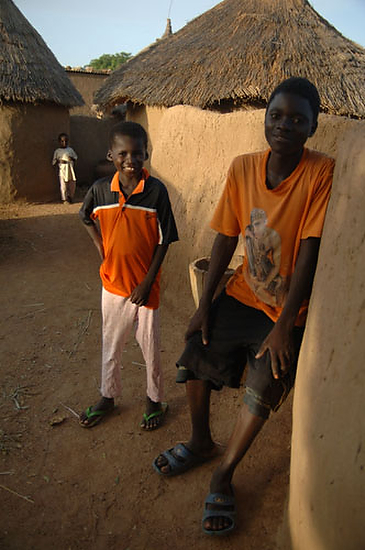
It’s people. Not buildings, wells, machinery nor the land. It is okay to photograph these things without people, but this shouldn’t be the focus. Present the NGO in human terms.
Who is the AUDIENCE?
Is it business people, civic clubs, the NGO’s support base, faith groups, agencies that give out grants? Make a list before the trip and look for tie-ins to these groups.
What’s the BUDGET?
What are the travel and post-production expenses? List other cost such as website.
Stay Specific:
Everything can’t be told. Pick the powerful images and subjects.
Perhaps show how the NGO has impacted a person or family. This approach helps the audience connect with those the NGO helps.
- Give an Overview of the Country
- Show the town
- Show the market place (show faces, how the people dress, their jobs)
- Highlight the work of the NGO
- Show a family
- Group photograph (dinner table)
- Individuals
- Show the NEEDS
- Why do they need the services of the NGO?
- What is being provided that meets a need: water, food and shelter?
- Show how the audience can support the NGO
- How they can volunteer
- Financial
- Equipment
- A Project
- Ongoing support of a person or family
- Specific Guidelines:
- Hold a visual on the screen for no more than ten seconds.
- Two to three seconds a shot is long enough for today’s TV and Internet savvy audience.
- A two to three minute presentation is ideal for the web. When presenting to a group give short presentations mixing these with a personal story or two. Allow time for questions.
- Write for the ear. Use short sentences.
- Record an interview and use sections of it in the presentation. People telling their story adds authenticity.
- DON'T
- Use too many pictures
- Show photos with exposure problems, with heads cut off or that need explaining. A picture should tell it's own story.
- DO!!
- EDIT, EDIT, EDIT. Show the only the best.
- Use recorded script.
- KEEP IT SIMPLE!!!!!
- NOTES:
- Visual presentations are easy to update.
- Presentations should be tailored to fit the audience.
- Visual presentations can be used to get support for an NGO; also the NGO can use the presentation itself.
- Leave people wanting more.

Friday, January 01, 2010
Tips When Hiring a Photographer

 |
| Little girl chases down parachuting cows at the Chick-fil-A Bowl |
Clients benefit in several ways when they include the photographer as part of their creative team. Not only will the shoot go smother and faster, but more importantly, the photos will be just as you want them to be and your budget will go further.
The sooner the photographer is involved in the planning and preparation for the shoot the better.
After the concept and approach are determined in a planning session the client and I usually scout the locations together, if possible. While on location we determine the best time of day for the shoot based on the lighting. Scouting with the client makes it is easier for us to maximize the time at each location during the shoot.
During the planning session we discuss the feelings the photos need to invoke in the viewer. By working together from the beginning we are both better able to achieve our objective. Preplanning allows everyone to concentrate on the fine details when it truly counts - on the day of shoot.
During the actual shoot priorities can change. Certain shots emerge, as “must have” pictures, while others may become less essential than initially thought. Going for the best shots and dropping or limiting the others can stretch the budget yet still produce outstanding images.
Tip
Here is an example of stretching a photo budget. When working with universities and schools it is more expedient, since most general classrooms look alike, to set-up in only one classroom. The faculty and students rotate through the classroom where all the lights have been placed and the exposure and white balance determined. There is no need to move from building to building. This saves time and money.
 |
| Tennessee cornerback Janzen Jackson (15)and teammate cornerback Eric Berry (14) celebrate defensive play against Virginia Tech in the Chick-fil-A Bowl on December 31, 2009 in Atlanta, Ga. |
I’m here to help, just give me a call.
Wednesday, December 16, 2009
Digital Photography – A Real Stimulus Package

My grandparents, aunts and uncles at Christmas in the 60's
Ebenezer Scrooge would have loved digital photography.
Before his ever-faithful nephew gave him a digital camera Old Ebenezer would say, “Bah! Humbug! Every time I press that button it cost me money. And for what, fuzzy photos for future memories, assuming I want to remember any past Christmas.” (I know, I know, there weren’t any cameras in Victorian England… I’m just making a point here.)
Scrooge was right; back in the jolly of days of photographing Christmas with film it did cost us money every time we pushed that button. This had a great influence on how we made photos.
My family’s roots have a good amount of Scotch-Irish Penny-pinching heritage. Maybe your family used the camera like we did. We could squeeze a whole year of events on one roll.
In order to get as much for our film money as we could we wouldn’t waist a shot. We’d dress everyone in their Sunday best, make sure the sun was shining on their faces, backup to include as much as possible, have everyone look at the camera and say cheese. Then the one taking the picture says, “Ready, one, two, three …” then snap the shutter… once.
At Christmas we all gathered at our grandparent’s house. For the annual Family Christmas Photo we’d pull the sofa out from the wall, fill the sofa with the grandparents and grandkids and arrange everyone else – by height – behind the sofa. Next we put the camera on a tripod and set the self-timer. This was an important event so we’d take two shots to be sure we had it.

That's me on the far left with all my cousins.
Ebenezer, before he got his digital, would have been pleased, well, at least he would have appreciated the economy of it all.
Now I don’t want to imply that digital photography is cheaper. You’ve got to buy a digital camera. While the simpler ones can be inexpensive, if you get serious about it, the cost of a whoop-t-do SLR digital camera can make you whish we were back in the days of film.
Next you need a computer, but most of us have one already. Then you need some software, but unless you’re serious about your photography you can get by with the software that comes with the camera.
However, the cost to shoot one photo is the same as making hundreds of photos when it comes to digital. Now we can take lots and lots of photos, pick the best ones and delete the rest.
This Christmas instead of having everyone stop what he or she is doing and look at the camera (or line-up behind the sofa) just photograph them as they are. Take photos of people interacting with each other this holiday season. Isn’t this why we look forward to this time of year—rekindling of relationships?

My daughter reacting to a present at her birthday party.
This season look at the edges of that LCD (screen) on the back of the camera just before you shoot. Do you need the back of Uncle Henry’s baldhead in the corner of the picture? Is that Aunt Mary’s foot sticking in the side? Do I need it in this picture? If my subject is my grandmother on the other side of the crowded room do I need all those folks facing all directions between my camera and her? Maybe I should zoom in or move closer or both.
But what if you do want the Christmas tree in the photo with the family? Move around and find an angle where the main subject is obvious and the complimentary subjects don’t take over the photo. Try being sure the main subject is closer to the camera and the other things are further away is one way.
Remember when people are talking—someone is listening. Be sure to take many photos so you can capture not just the enthusiasm of the talker, but also the interest (or not) of the listener. Wait for the conversation to switch and the roles reverse and make more photos.
Make pictures of people cooking, relaxing, in conversation with each other. Take photos of the outings to the ice rink, skiing, or whatever your traditions may be this season rather than just the posed shots.
Over time and through the years you will see some patterns. I had an uncle who took photos of my Dad each Christmas with his car. For several years my uncle made pictures of my Dad with his head under the hood of whatever car he had that year. It made a funny series when my uncle put them together in a slide show for the family one year. Here is David working on his Ford, here he is working on his Chevy, here his is with a new car…
So why is digital photography a real stimulus package? Because even Scrooge would take many more photos with his digital camera since it no longer cost more each time the button is pushed.
This digital stimulus package will improve your family photos and with no additional cost to take lots of pictures so you can edit down and just keep the good ones.
Keep your camera battery charged and remember to get those photos off the camera and into the computer so you can make even more memorable moments this holiday season.
Happy Holidays!
Subscribe to:
Posts (Atom)